
Post a QR in the venue
Print the check-in QR from the POS and put it on the wall. Staff must scan on the venue Wi-Fi, so no one can clock in from home.
Staff time clock for venues
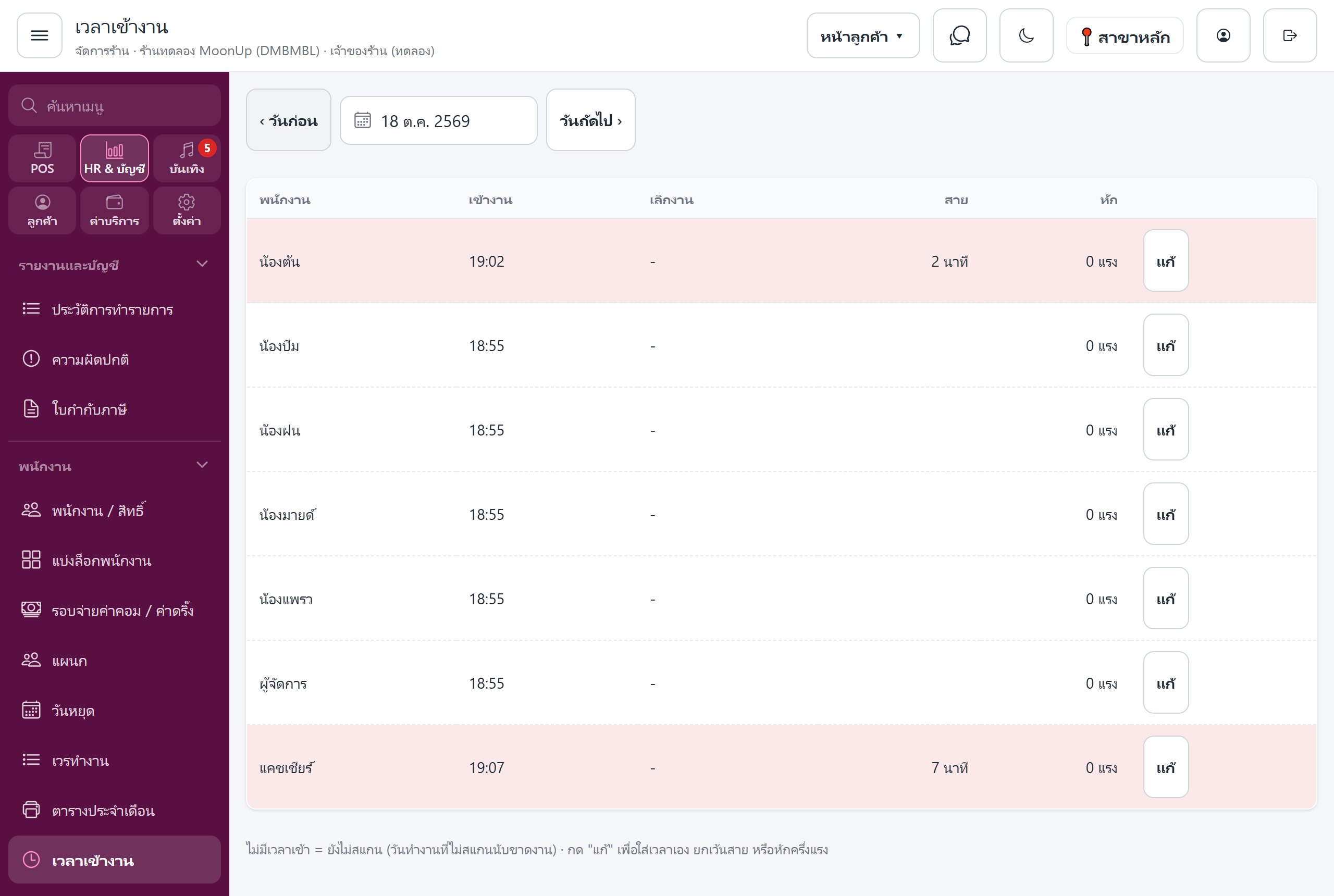
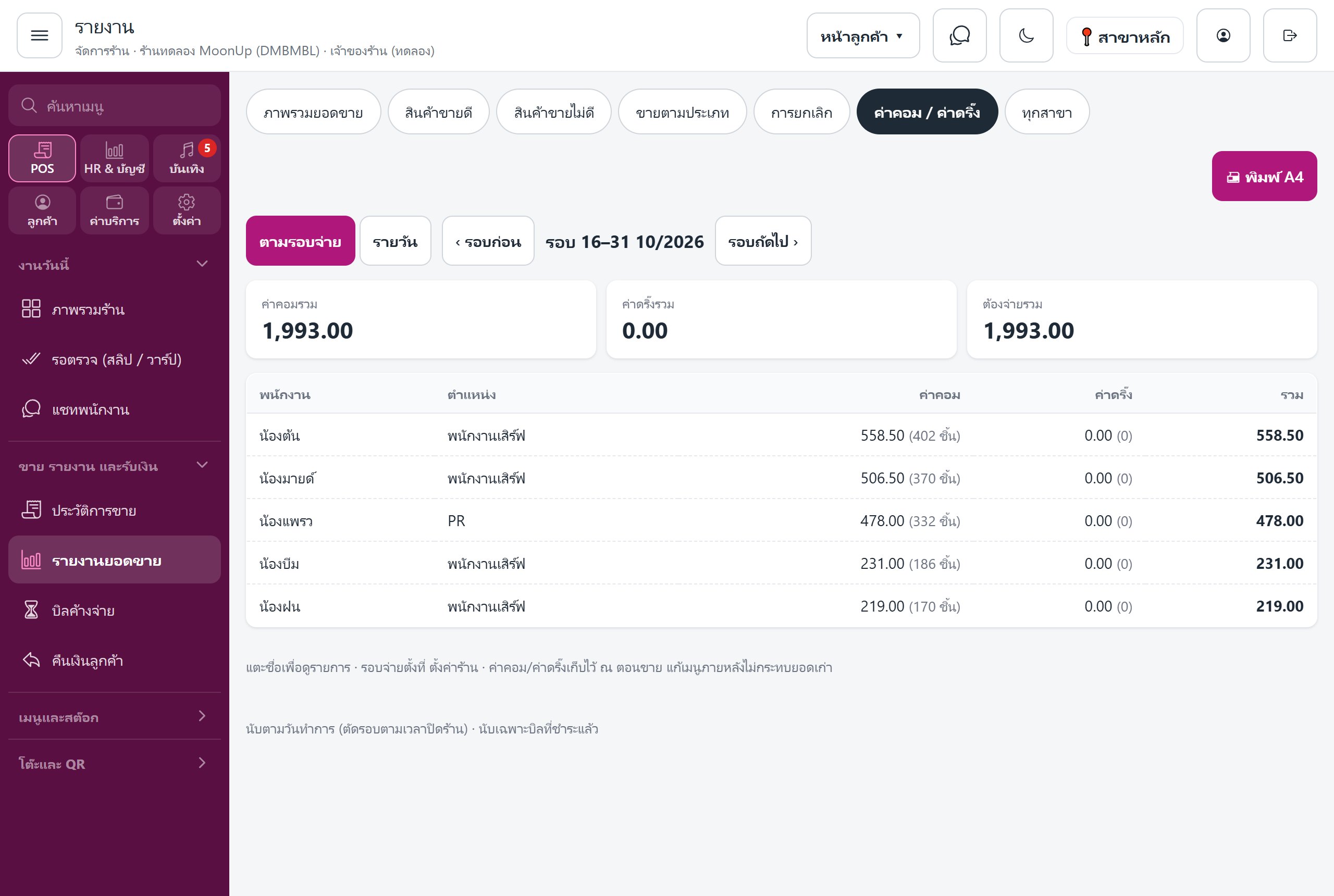
Staff scan the QR on the venue wall. Late and absence deductions are automatic, and commissions, drink fees and tiered bonuses go onto every payslip, every pay period.
Print the check-in QR from the POS and put it on the wall. Staff must scan on the venue Wi-Fi, so no one can clock in from home.
Scan to clock in, one tap to clock out. Set the hours when scanning is allowed and a grace period for lateness.
Periods run 1st–15th and 16th–end of month. The system prepares everyone's payslip, and closing a period locks them.
Time clock + payroll, built specifically for bars, pubs & nightclubs.
Minutes late × THB per minute (3 THB by default). Set one start time for everyone, and adjust per person.
Choose how many day units each day costs — for example 2 on Fridays and Saturdays. HR can adjust day by day, including half units.
Salary + commission + drink fees + tiered bonuses + extras − late − absence − advances − other deductions
Deducts 2.5% (adjustable), capped at 750 THB/month, split across pay periods for you.
If a bill from an already closed period is refunded, the commission on it is deducted in the next period automatically.
A 0–100 score compared with others in the same role, based on sales, average bill, errors and attendance.
Commission on every item keyed in, drink fees and tiered bonuses flow onto the payslip on their own. No more Excel.
See all plans on the pricing page · 14-day free trial, no card, no contract
No. Staff scan the QR posted in the venue with their own phones.
Phones must be on the same Wi-Fi as the venue's cashier device, so scanning from anywhere else won't work.
HR can enter the check-in time manually, waive the late deduction, or deduct half a day unit.
The 1st–15th and the 16th–end of month, matching the commission cycles.
Every system shares one set of venue data. Turn more on anytime.
Open a sample venue with no sign-up, or talk to our team to book a setup.