
Choose date, time and party size
From your venue page on moonup.co or your venue's booking link.
Table booking for bars
Stop taking bookings over LINE and checking slips by hand. Guests choose a date, time and table from your floor plan, pay the deposit straight into your account, and get a QR to check in when they arrive.
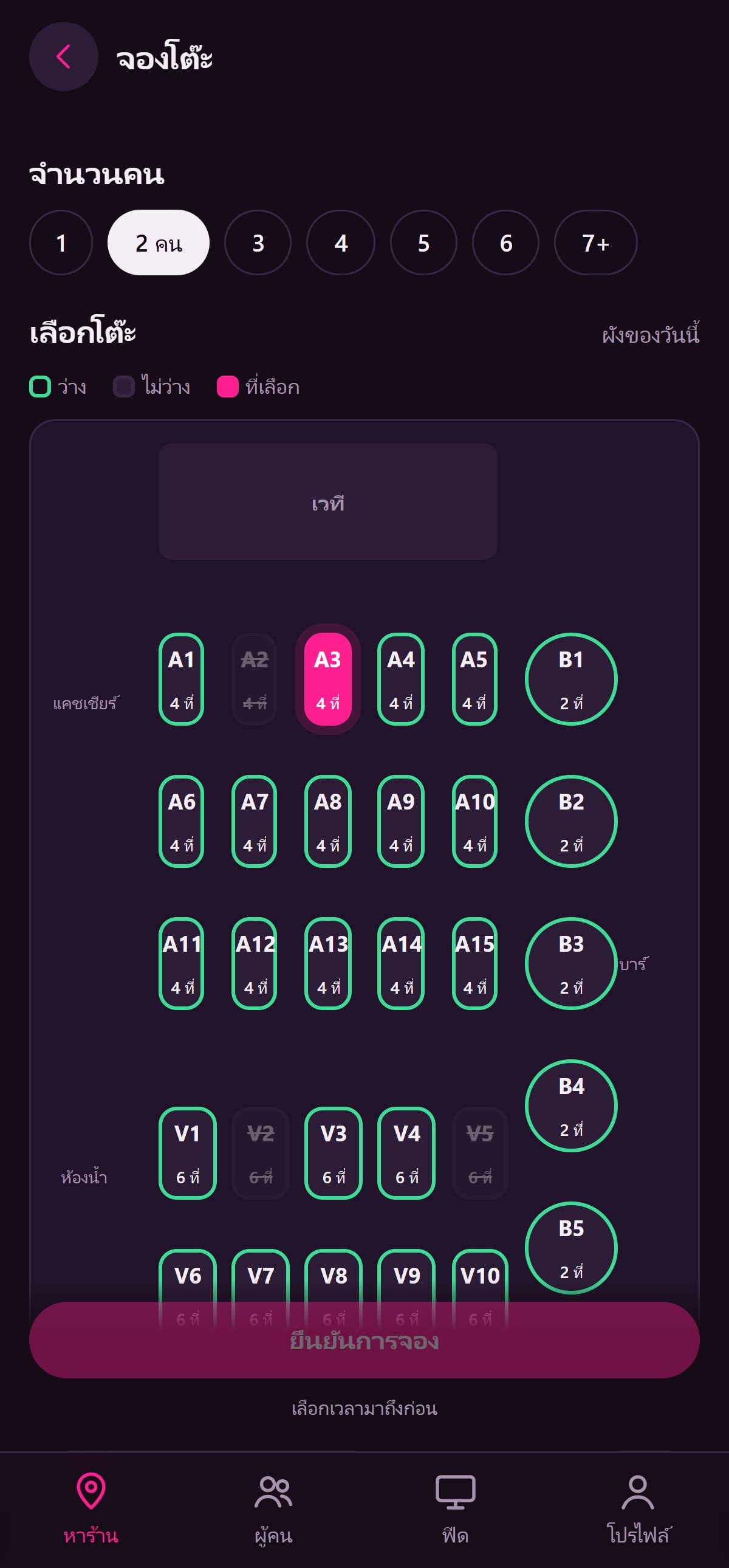
From your venue page on moonup.co or your venue's booking link.
See which tables are actually free that night, then pay the deposit via the venue's PromptPay.
Staff scan the QR or tap "Arrived". The deposit is deducted from the bill at the cashier automatically.
Table booking from the floor plan + deposits, designed for bars, pubs & nightclubs.
Set deposits per zone or per floor plan — for example, free booking on weeknights and a deposit on Fridays and Saturdays.
Bookings, concert tickets and tables the venue holds are checked together every time. Regular booking closes automatically on concert nights.
Cancel before the venue's cutoff (24 hours by default) for a full refund. After that, or for no-shows, no refund. If the venue cancels, the guest always gets a full refund.
Choose whether the deposit is deducted from the bill on arrival or kept as a table fee.
Each code works once, only on the booking date, so it can't be reused.
Set available times, how far ahead guests can book and how many tables per booking. Print booking reports on A4.
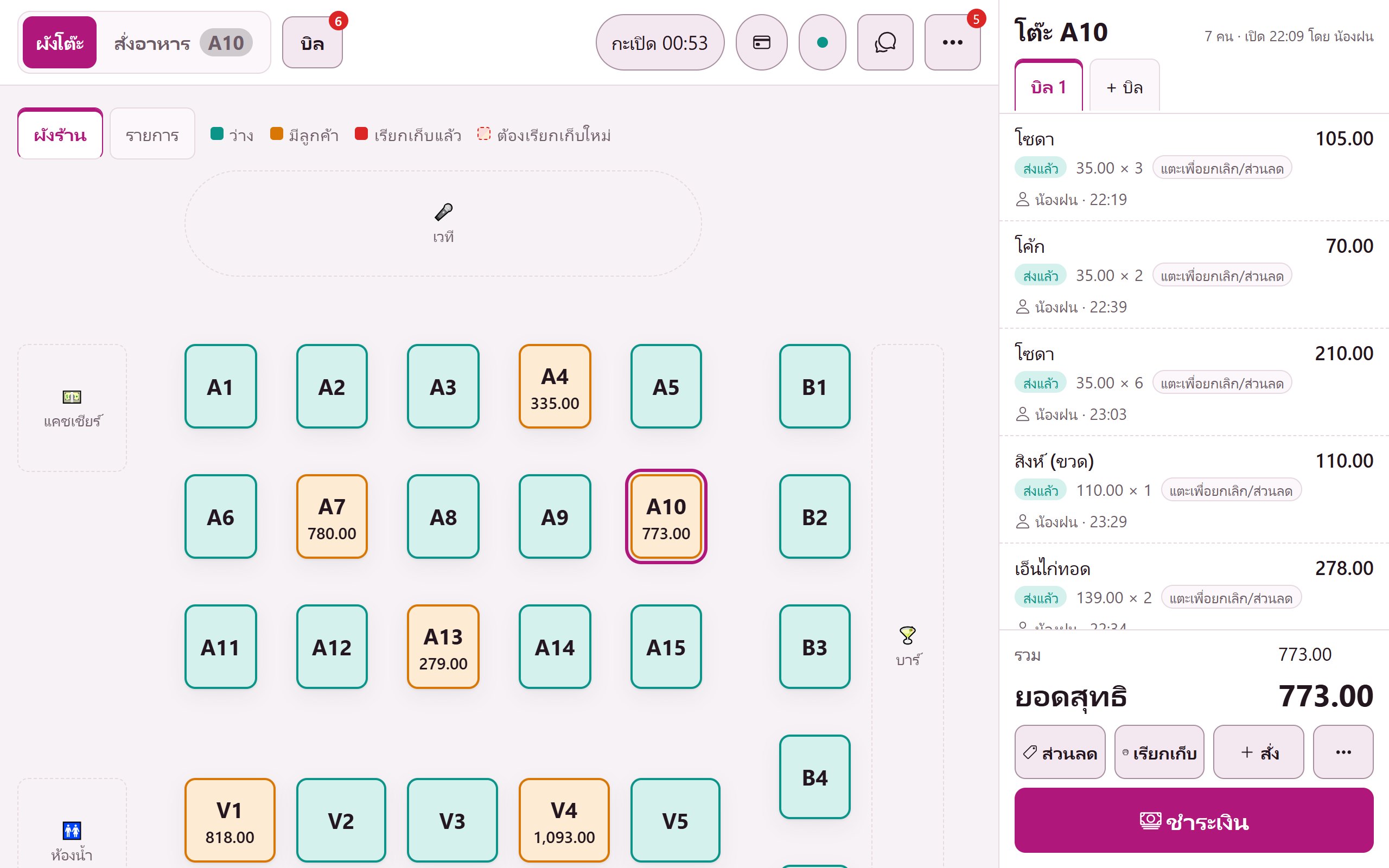
Booked tables show up on the cashier's floor plan instantly. Staff know which tables are reserved — no paper notes.
See all plans on the pricing page · 14-day free trial, no card, no contract
From your venue page on moonup.co, or a booking link you share on LINE / Facebook. Guests sign in with LINE or Apple.
Cancel before the cutoff the venue sets and get a full refund via PromptPay. Late cancellations and no-shows forfeit the deposit to the venue.
Yes. Set the deposit to 0 for any day or zone you like.
Yes. The venue sets the maximum tables per booking (4 by default).
Every system shares one set of venue data. Turn more on anytime.
Open a sample venue with no sign-up, or talk to our team to schedule setup.